Start with one strong subject
Choose a hero product, a character, or a setting. Explain where the viewer should look before adding smaller details.
Create images or edit a reference with ChatGPT Images 2.5 on Pixverse AI. Explore product visuals, posters and realistic scenes for free, with no signup.
Write a prompt, choose a format, and your completed image or video will appear in this workspace.
A focused brief makes it easier to compare versions and decide what to improve next.
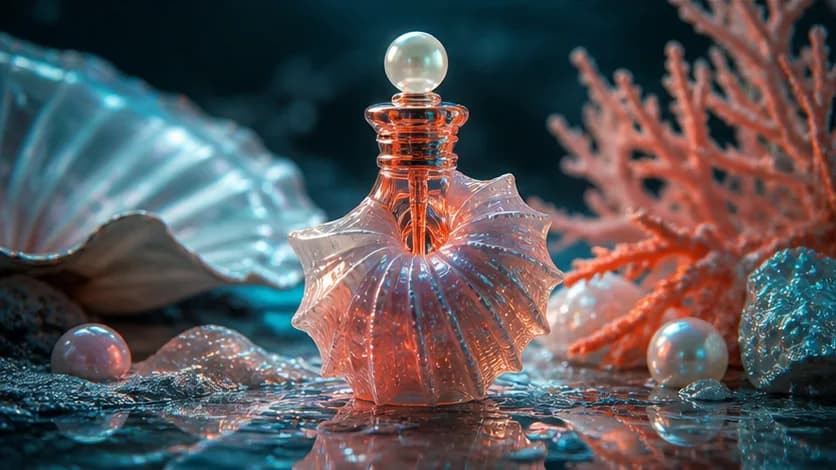
Choose a hero product, a character, or a setting. Explain where the viewer should look before adding smaller details.
For an edit, separate what should change from what should stay. For a video, describe one action and how the camera follows it.
Use vertical framing for a phone screen, a square for a feed, or widescreen for a presentation. Keep important details away from the edges.
Illustrative creative references, not guaranteed outputs from these models.
Create images from text or use one reference image for a focused edit, with prompt control and practical aspect-ratio options.
Describe the subject, composition, lighting, materials, color palette, style, mood, and on-image text to guide the result.
Upload one reference image and describe the changes you need, including what should change and what should remain recognizable.
Choose 21:9, 16:9, 4:3, 3:2, 1:1, 2:3, 3:4, 9:16, or 9:21 for banners, posts, portraits, product images, and tall artwork.
Review the result, refine the prompt, and generate another version. Local history keeps completed images available for comparison.
Use ChatGPT Images 2.5 for ecommerce, marketing, publishing, social content, presentations, and creative production.
Place products in new settings, create hero images, test campaign photography, and develop launch concepts.
Create promotional artwork, social graphics, event posters, thumbnails, advertising concepts, and layout directions.
Use one image to test new backgrounds, settings, wardrobe, lighting, atmosphere, and visual styles while preserving key details.
Develop characters, environments, presentation images, editorial scenes, and early design directions before final production.
Enter a prompt or upload one reference image, choose an aspect ratio, generate the image, and refine the result for personal or commercial work.
Generate for free ↑Describe the subject, setting, composition, style, lighting, colors, and intended placement, such as a poster, product ad, or social post.
For an edit, upload one image and separate the elements you want to change from the product, subject, or layout that should remain recognizable.
Select an aspect ratio, generate the image, inspect the result, refine the prompt if needed, and download the final version.
It is Pixverse AI's online AI image generator and editor. Use a text prompt to create an image from scratch, or upload one reference image to guide a focused edit.
Yes. Keep the image field empty and describe what you want to see, from a realistic setting or product concept to an illustration, poster, character, or social graphic.
This free editor accepts one reference image. Add it to the form, then explain the targeted change and the details you want the result to keep.
Name the subject and explain its setting, composition, lighting, materials, visual style, colors, and intended use. For edits, say separately what should change and what should remain.
The available layouts are 21:9, 16:9, 4:3, 3:2, 1:1, 2:3, 3:4, 9:16, and 9:21 for wide images, square posts, portraits, and tall compositions.
Your image history lives in this browser rather than a cross-device library. Download important results so you keep a copy when browser data is cleared or you use another device.
Free access is subject to service availability, queue capacity and content rules. Video results are for evaluation, not commercial use. Pixverse AI is an independent service and is not affiliated with pixverse.ai, PixVerse, OpenAI or MiniMax.
From a first idea to an image worth saving or a scene worth watching. Choose your starting point and create with Pixverse AI.
Create images or edit a reference with ChatGPT Images 2.5 on Pixverse AI. Explore product visuals, posters and realistic scenes for free, with no signup.
Generate for free ↗Free MiniMax H3 AI Video GeneratorTry MiniMax H3 for free on Pixverse AI. Turn a prompt or a start-and-end frame pair into a short video, then preview and download it without signing up.
Generate for free ↗Free Image to Video AI GeneratorBring two images together in a short AI video with MiniMax H3. Upload start and end frames, describe the motion, and generate for free without an account.
Generate for free ↗Free Text to Video AI GeneratorTurn your words into a short AI video for free with MiniMax H3. Describe a subject, action and camera movement; no image upload or signup is required.
Generate for free ↗
A practical framework for turning a short thought into a visual brief with subject, scene, light, lens, and intent.
Read article
Treat your prompt like a compact creative brief to gain more control over text, layout, materials, and iterations.
Read article
Create persuasive product scenes with credible materials, scale, shadows, reflections, and brand-safe composition.
Read article