Start with one strong subject
Choose a hero product, a character, or a setting. Explain where the viewer should look before adding smaller details.
Turn your words into a short AI video for free with MiniMax H3. Describe a subject, action and camera movement; no image upload or signup is required.
Write a prompt, choose a format, and your completed image or video will appear in this workspace.
A focused brief makes it easier to compare versions and decide what to improve next.
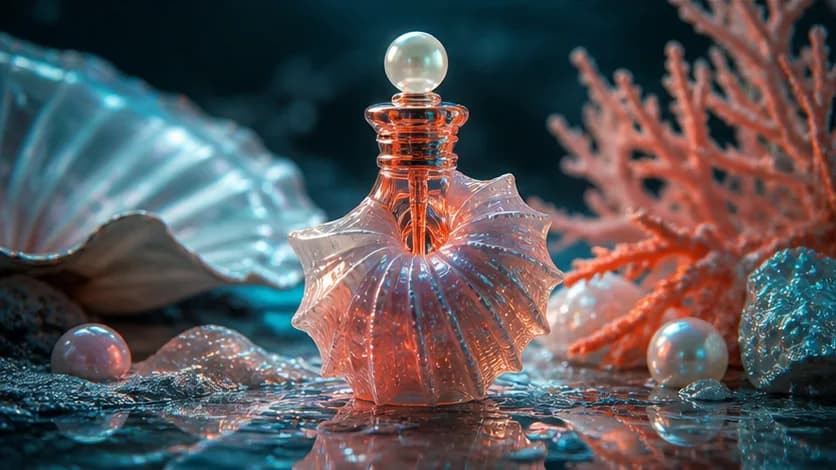
Choose a hero product, a character, or a setting. Explain where the viewer should look before adding smaller details.
For an edit, separate what should change from what should stay. For a video, describe one action and how the camera follows it.
Use vertical framing for a phone screen, a square for a feed, or widescreen for a presentation. Keep important details away from the edges.
Illustrative creative references, not guaranteed outputs from these models.
Create a short video from text alone, then refine the prompt to test different actions, camera directions, and visual styles.
Create a short video from a written prompt without uploading reference images, footage, or other assets.
Describe the subject, action, setting, lighting, visual style, shot type, and camera movement to guide the video.
Generate video and built-in AI audio together, so the sound supports the action and atmosphere described in the prompt.
Test different actions, camera directions, and visual styles for free, then compare completed videos in local history.
Use text-to-video generation for social content, product concepts, storyboards, presentations, and explainers.
Create short visual hooks, vertical clips, and scene concepts for creator posts and social campaigns.
Generate product reveals, commercial settings, material effects, and camera movements for advertising concepts.
Preview character actions, environments, and camera setups as moving references for storyboards and creative treatments.
Create short visual examples for presentations, educational content, explainers, and creative planning.
Describe one video scene, choose an aspect ratio, and generate directly from text. Finished clips remain in local browser history.
Generate for free ↑Enter the subject, main action, setting, time of day, lighting, atmosphere, and visual style for one clear video scene.
Add a shot type or camera movement, then choose 16:9, 9:16, or 1:1 to match where you plan to watch the clip.
Submit the prompt, preview the completed video with audio, refine the prompt for another version, or download the result.
It uses MiniMax H3 to turn your written scene description into a short AI video on Pixverse AI, without asking you to upload an image.
No. Just enter a prompt and choose an aspect ratio. The video begins with the written scene you provide.
No. It creates one short visual scene from a prompt; it does not assemble a full script from stock clips, subtitles, presenters, or narration.
Describe one subject, one action, the environment, lighting, visual style, shot size, and camera movement. A single scene usually gives the model clearer direction than a long sequence.
Text-to-video starts with words and lets the model build the scene. Image-to-video starts with a planned opening and ending image when you need more control over the shot's path.
Free access is subject to service availability, queue capacity and content rules. Video results are for evaluation, not commercial use. Pixverse AI is an independent service and is not affiliated with pixverse.ai, PixVerse, OpenAI or MiniMax.
From a first idea to an image worth saving or a scene worth watching. Choose your starting point and create with Pixverse AI.
Create images or edit a reference with ChatGPT Images 2.5 on Pixverse AI. Explore product visuals, posters and realistic scenes for free, with no signup.
Generate for free ↗Free MiniMax H3 AI Video GeneratorTry MiniMax H3 for free on Pixverse AI. Turn a prompt or a start-and-end frame pair into a short video, then preview and download it without signing up.
Generate for free ↗Free Image to Video AI GeneratorBring two images together in a short AI video with MiniMax H3. Upload start and end frames, describe the motion, and generate for free without an account.
Generate for free ↗Free Text to Video AI GeneratorTurn your words into a short AI video for free with MiniMax H3. Describe a subject, action and camera movement; no image upload or signup is required.
Generate for free ↗
A practical framework for turning a short thought into a visual brief with subject, scene, light, lens, and intent.
Read article
Treat your prompt like a compact creative brief to gain more control over text, layout, materials, and iterations.
Read article
Create persuasive product scenes with credible materials, scale, shadows, reflections, and brand-safe composition.
Read article